Every support channel,
one desk.
GlassDesk works tickets, email, live chat and phone calls out of the same queue. Your team learns one interface instead of four, and nothing has to be reconciled between tools afterwards.
No signup. You land in a working support desk with sample data already loaded.
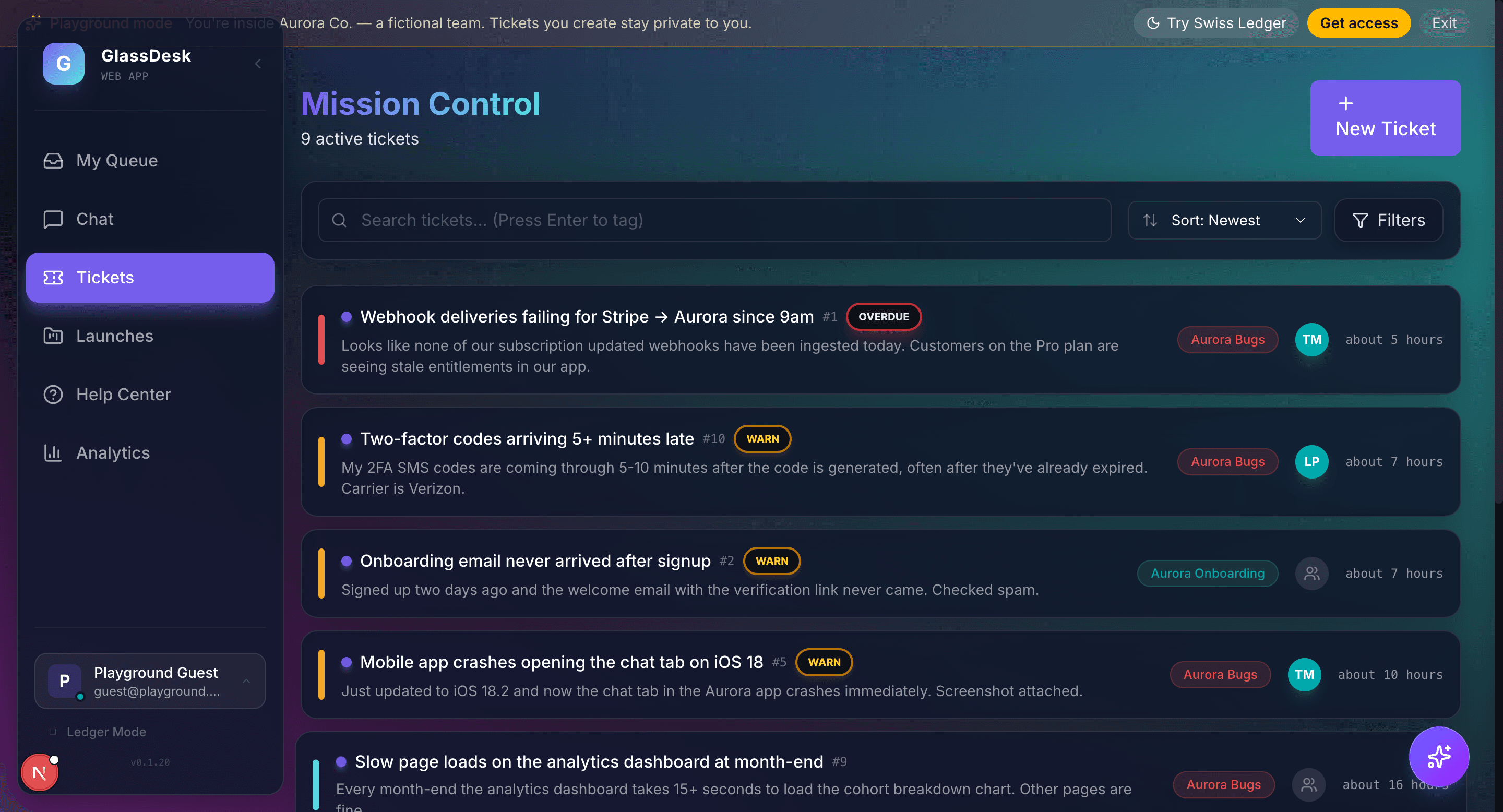
What's in it
Eight parts of the product, all in the same workspace.
Tickets and team chat
An inbox with threads, internal notes, comment edit history and SLA aging. Changes land live for everyone working the queue.
Email-native inbox
Inbound mail is parsed and routed by role, and agents reply from any address you own. The ticket thread stays the record of what was said.
Voice and recording
Inbound and outbound calling from the browser, with recording, transcription and a searchable call log.
Launch planner
Multi-brand launches on a Gantt timeline. Tasks link to tickets, so the plan and the work it covers sit in one place.
Vault
Encrypted notes unlocked with WebAuthn biometrics. Credentials are decrypted on the device that opened them and nowhere else.
AI email search
Semantic search across the whole mailbox. Describe the thread you are after in your own words and it surfaces it.
Live monitor and analytics
Queue health, ticket aging, agent throughput and CSAT. Daily, weekly and monthly leaderboards refresh on their own.
Automations
A rule builder for routing, assignment and SLA escalation, with outbound webhooks and push notifications on the same events.
A look at the workspace
Every screenshot below comes out of the playground. Open it and you are looking at the same build.
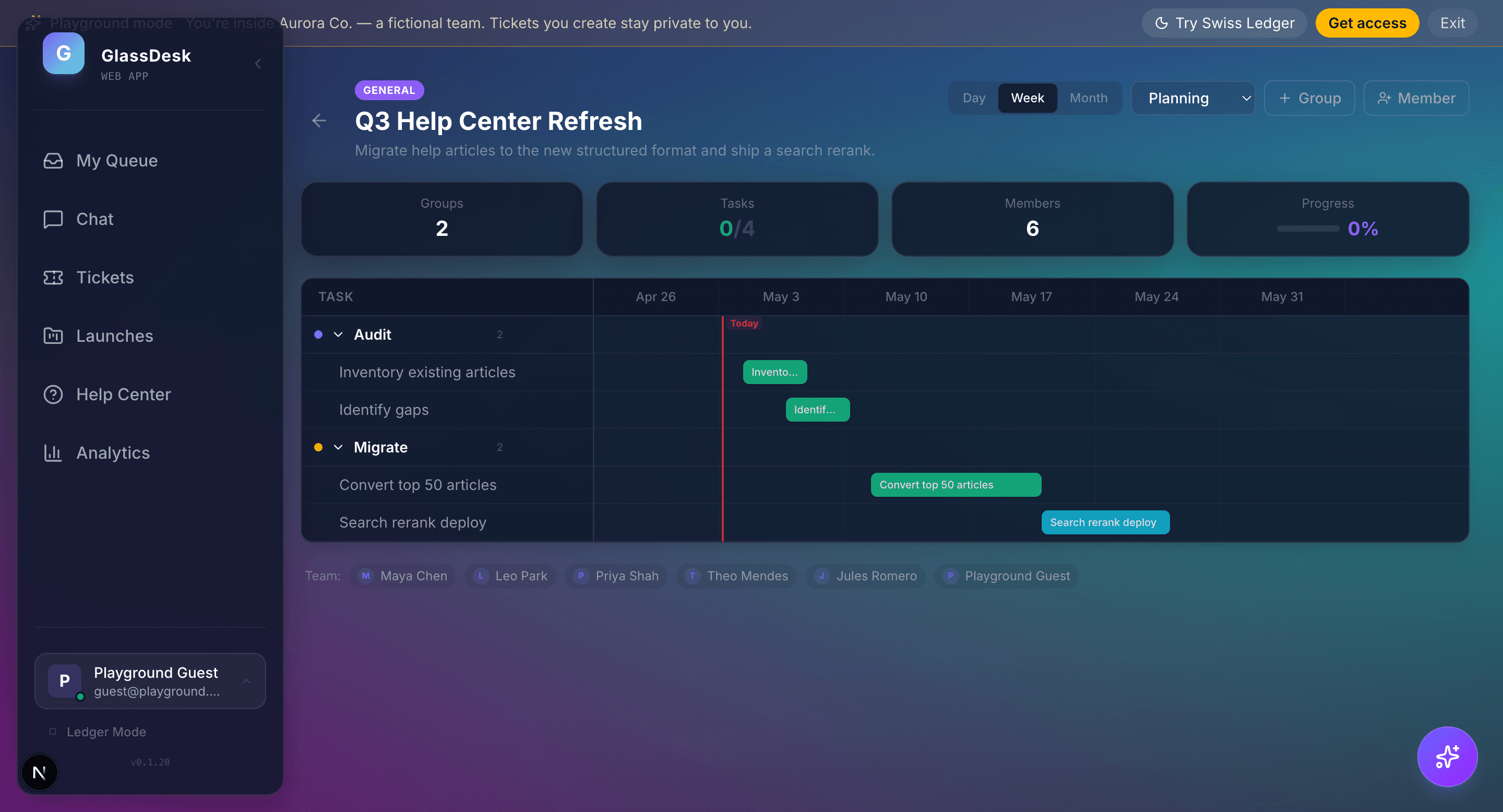
Launches on a Gantt timeline
Phase-based launches with milestones, ticket links and brand filters. Drag a bar to reschedule it, click it to open the work item.
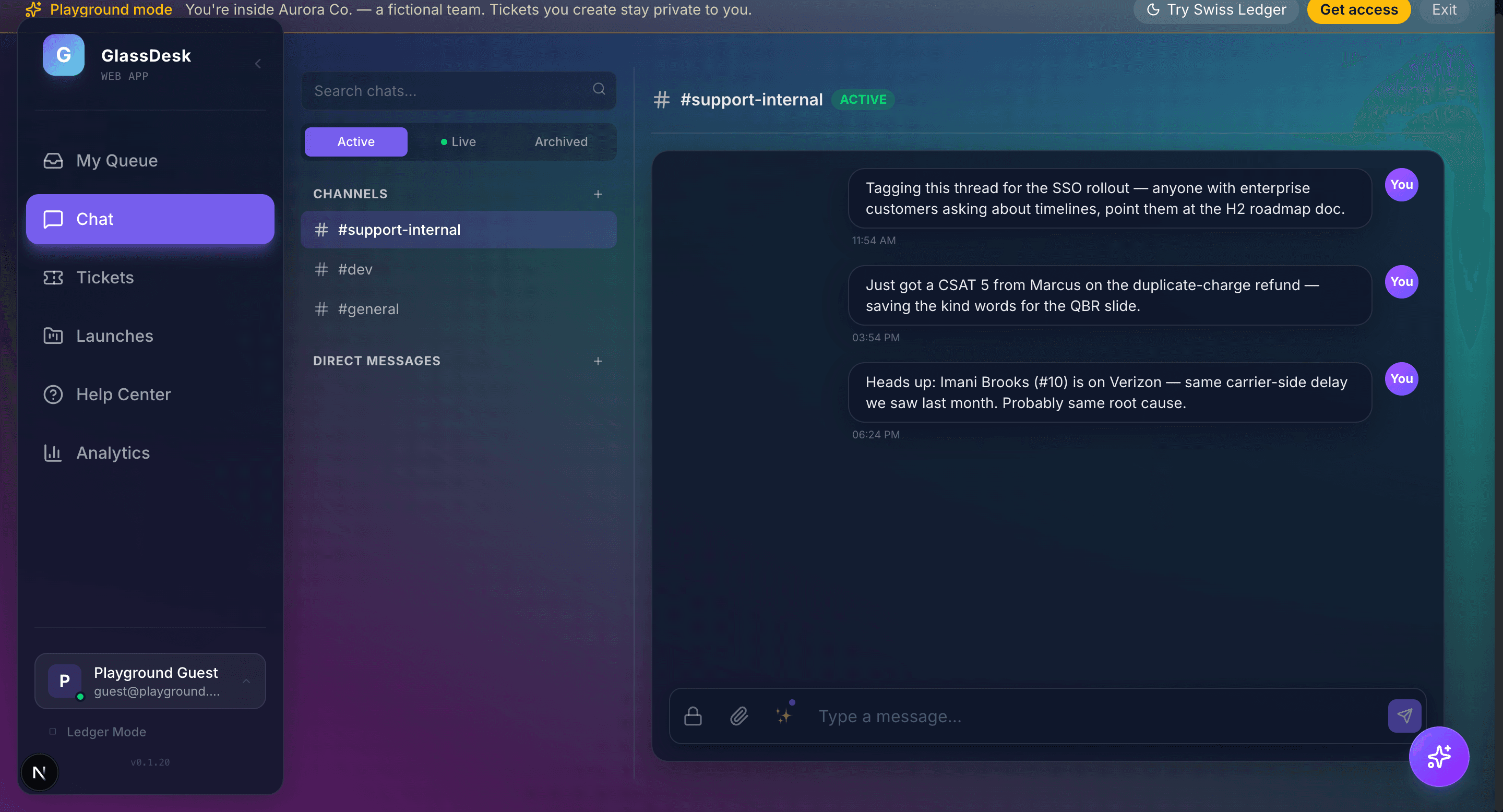
Channels and DMs in the same chat
Internal channels for the dev team, customer-facing support sessions and direct messages, all with the same keyboard navigation.
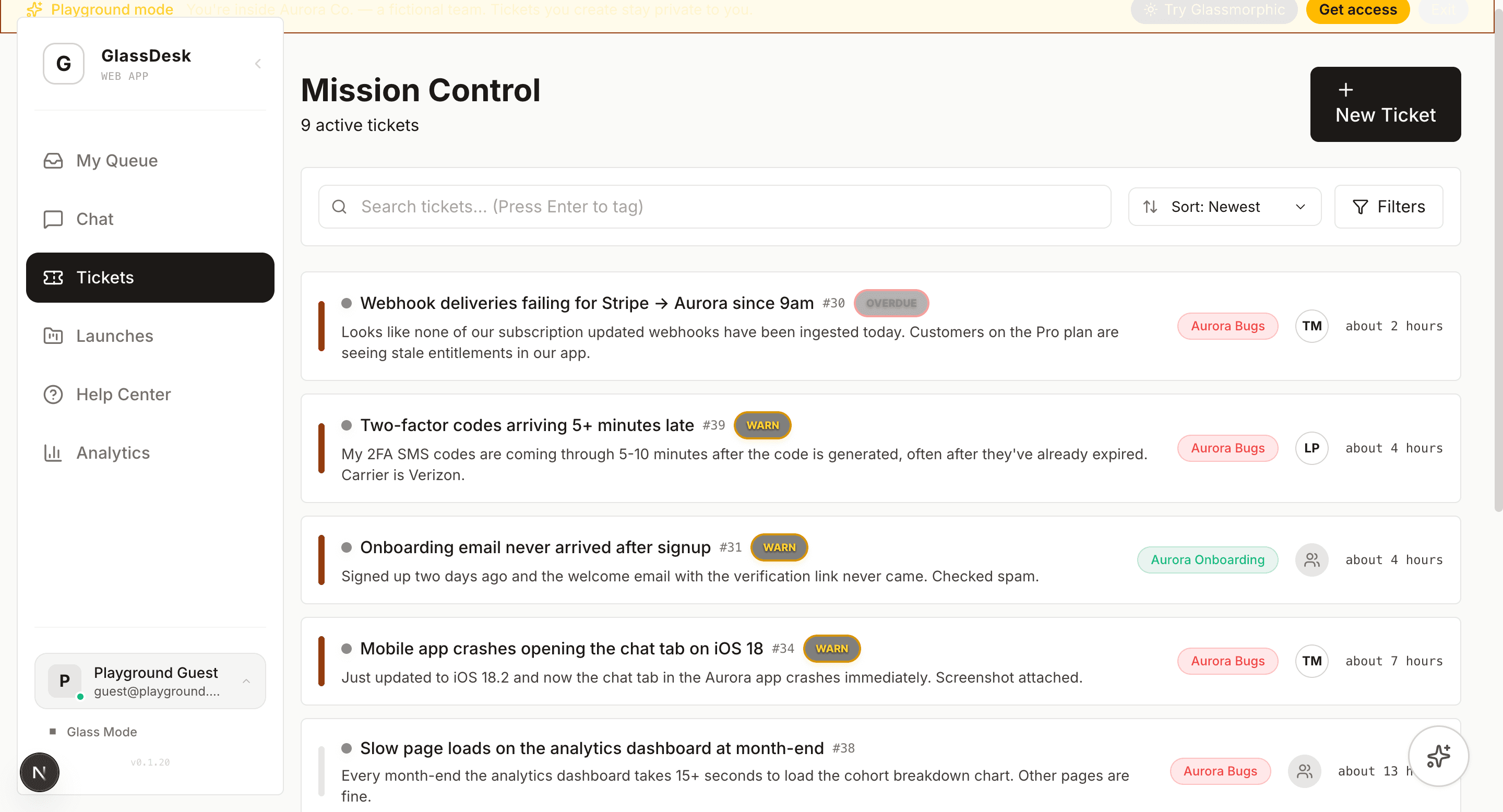
Two themes, one toggle
Glassmorphic is the default. Swiss Ledger is a denser, higher-contrast layout for people who sit in the queue all day.
Try it before you ask for access
The playground runs GlassDesk against a fictional support team called Aurora Co. Work the queue, reply to a thread, start a chat, switch themes. Anything you create stays in your session and is thrown away when it ends.
Open the playgroundNo signup and no credit card.